


If you are doing any kind of digital marketing work, this one is worth your time.
I recently started using the Marketing Plugin in Claude Cowork, and honestly, it's been one of the best thing in Claude.
It takes only 10 seconds to install, and once it is in, you get a full set of marketing commands right inside your workflow.
Here is exactly how to set it up.
Prerequisites
Before you start, make sure you have:
- A Claude Pro, Max, or Team plan (Cowork requires a paid plan)
- The Claude desktop app installed on your laptop or PC
Steps to Setup Marketing Plugin in Claude Cowork
Follow each step carefully, otherwise you will be confused. Lets start.
Step 1: Open Claude Desktop and Switch to Cowork
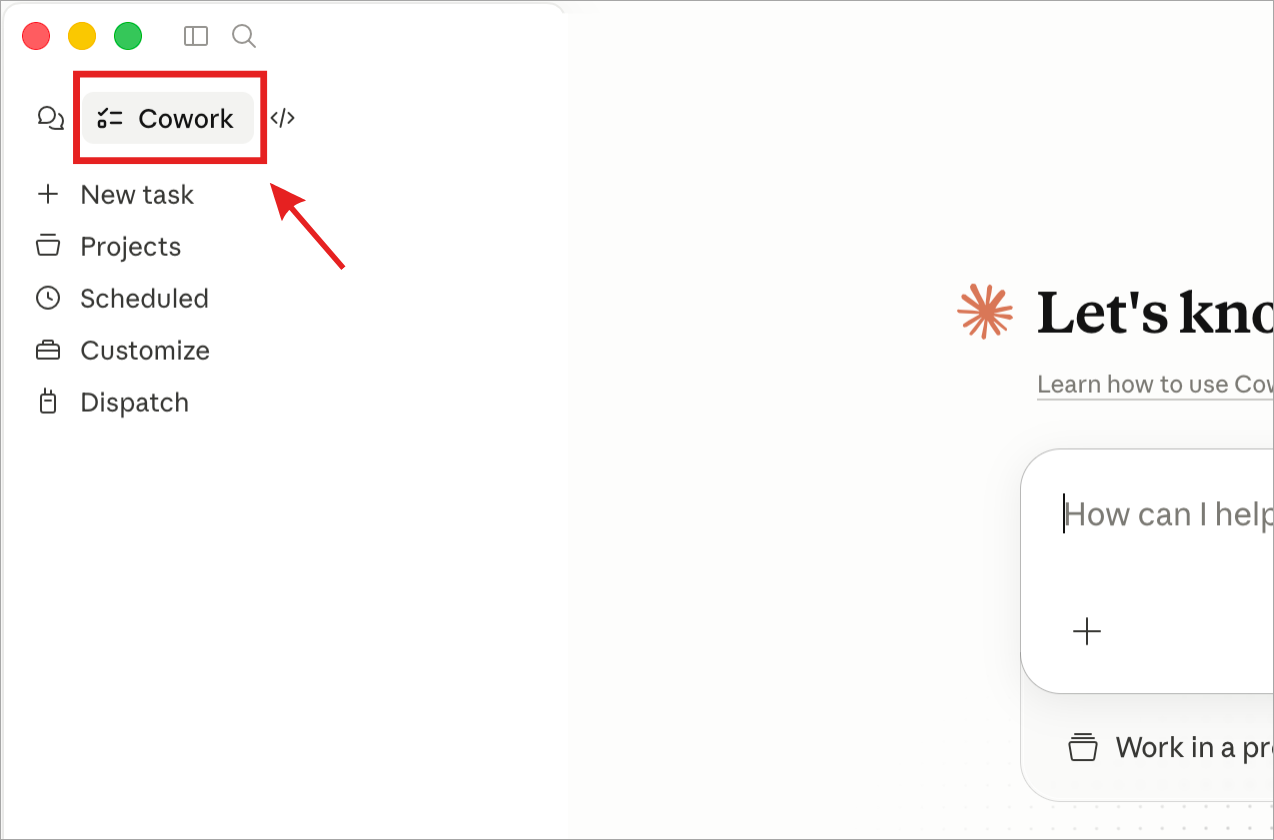
Open the Claude desktop app. In the top-left corner, you will see a Cowork option, click it to switch into Cowork mode.
Step 2: Go to Customize and browse plugin
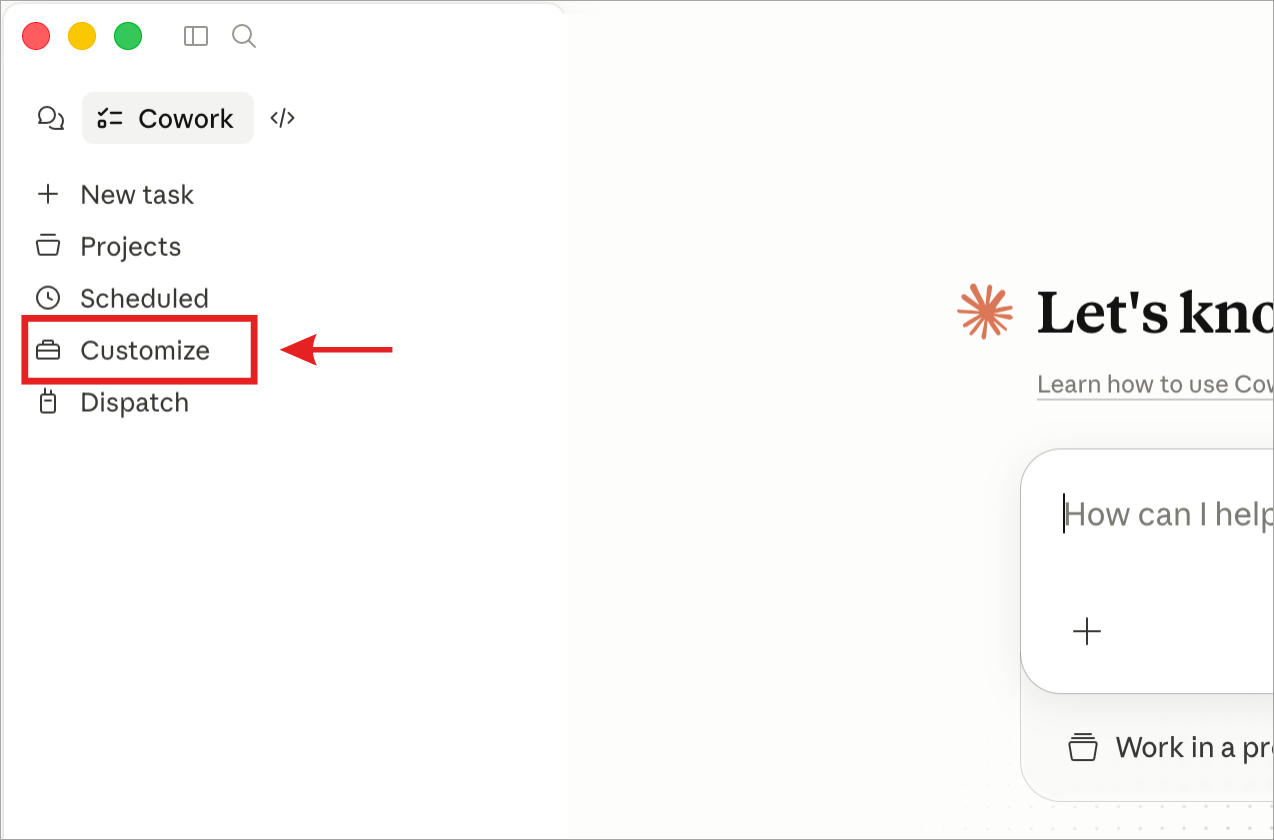
In the left sidebar, click Customize.
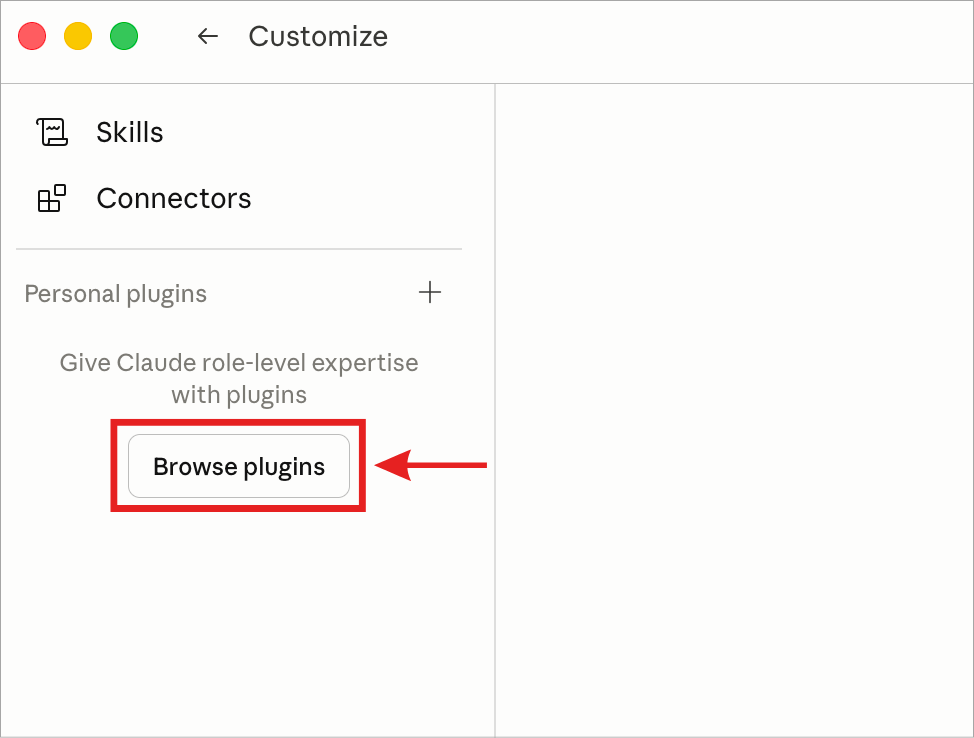
Then click Browse Plugins.
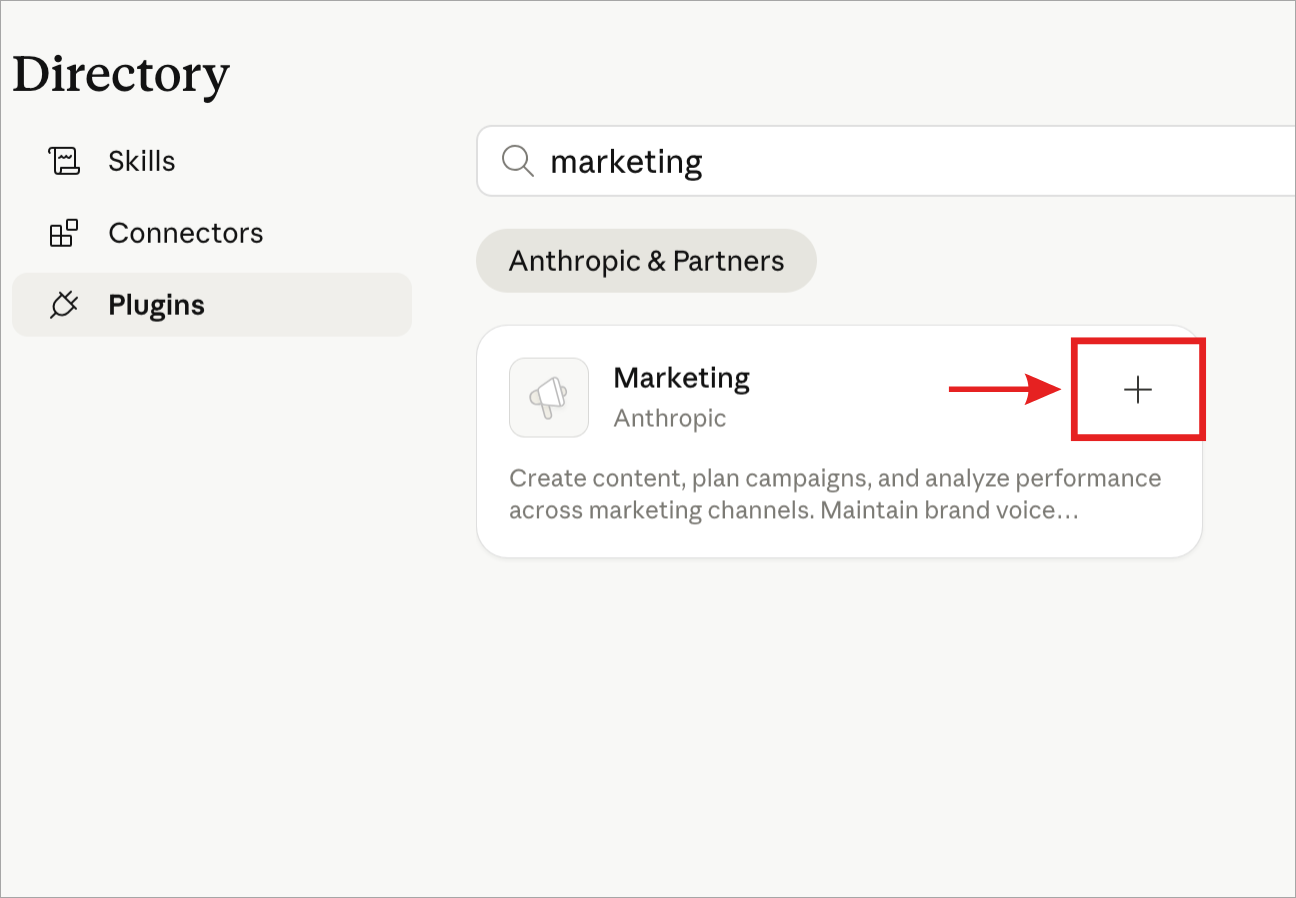
Step 3: Search for Marketing
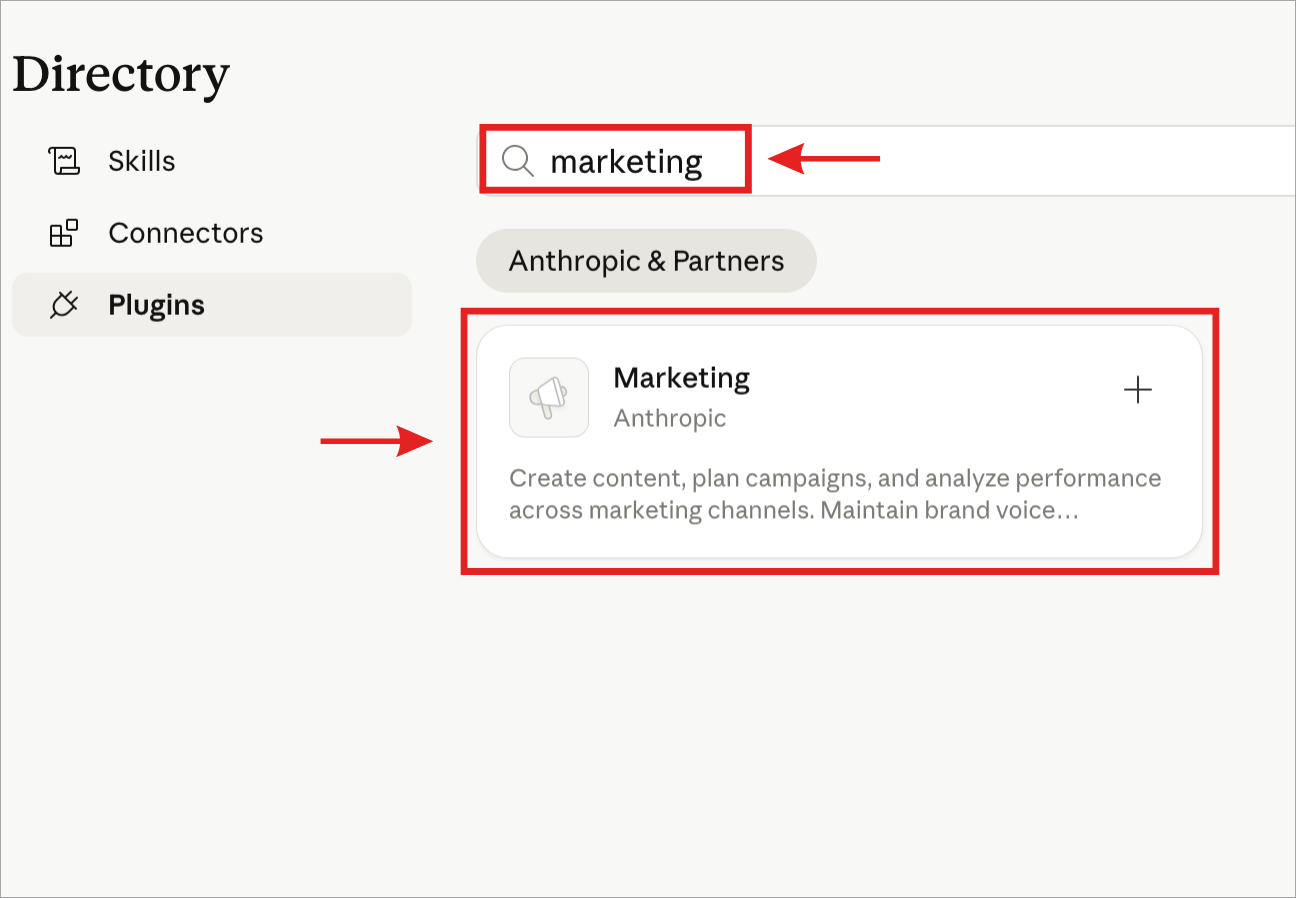
Type marketing in the search bar. The Marketing Plugin will show up in the results.
Step 4: Install the Plugin
Click the + (plus) icon next to the plugin. It installs in about 5 seconds.
Yes, now the plugin is installed. To confirm that, you can see on the main page, which I have shown in the image below.
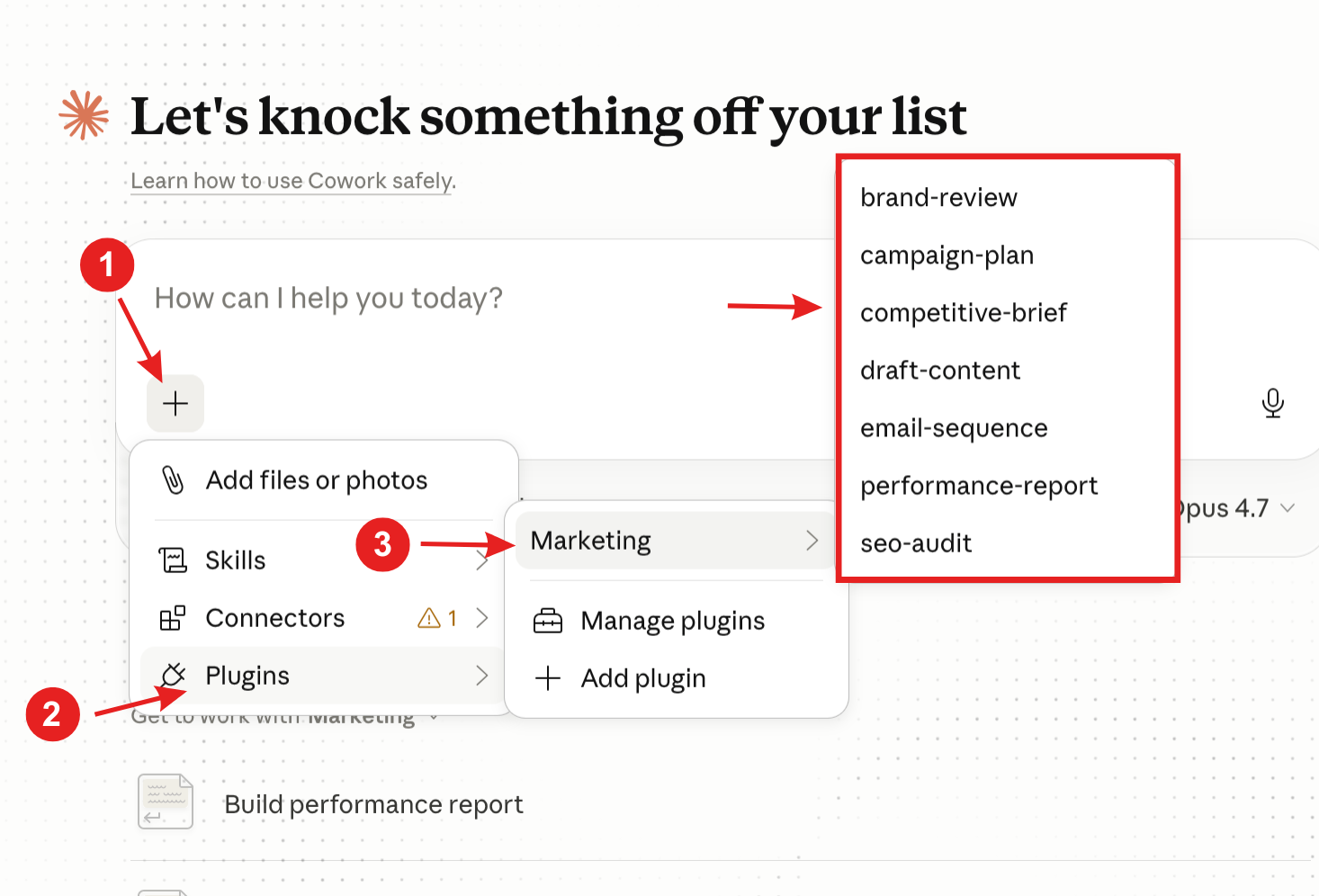
That's it.
How to use it?
After installing, you can start using marketing commands right away. Just type a command followed by your request. For example, /seo-audit https://yoursite.com.
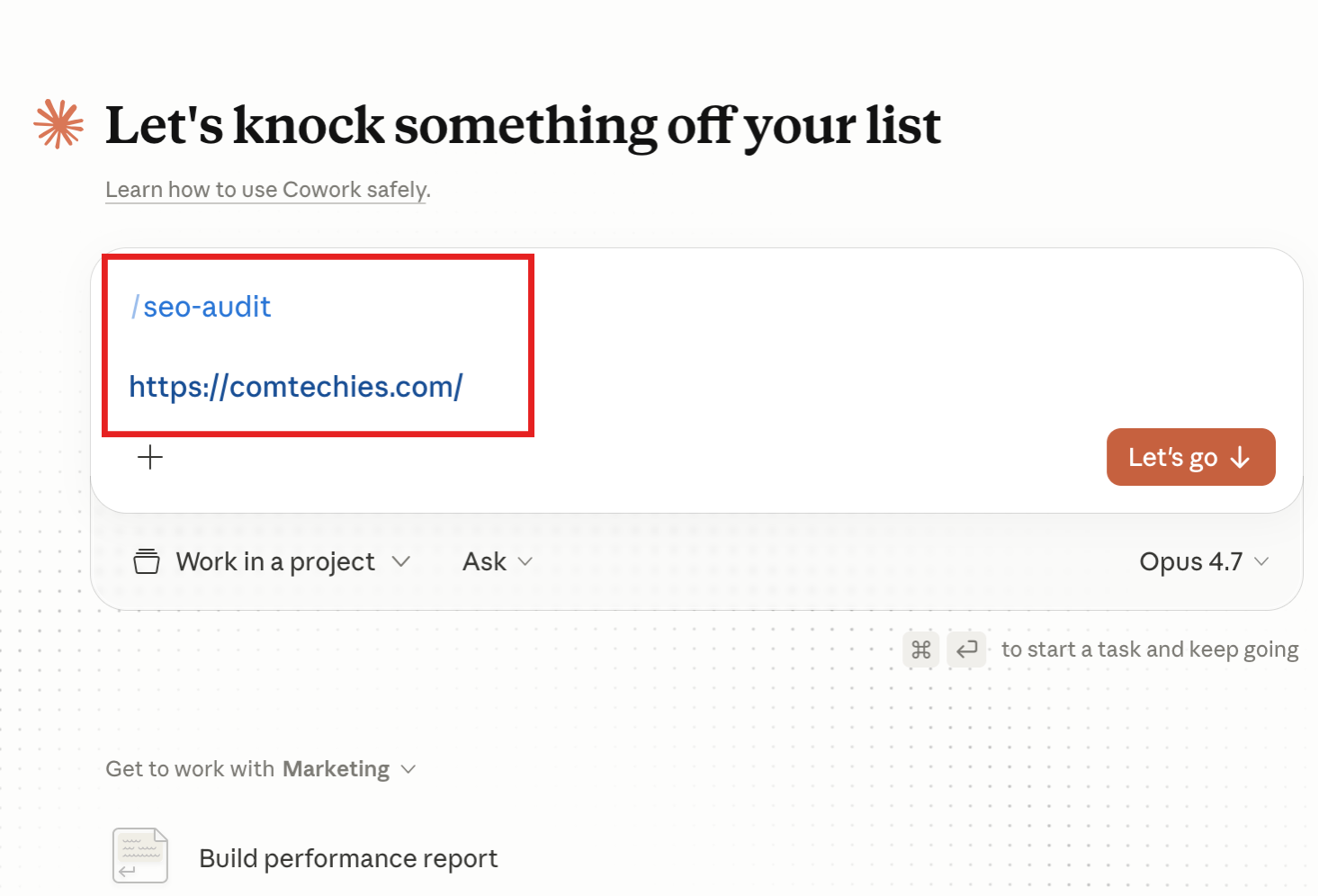
Thats it. It will save you a pretty amount of time and you can focus on your critical thinking to focus on the main things to improve.
Here is the full list of available commands.
- /seo-audit
- /brand-review
- /draft-content
- /campaign-plan
- /email-sequence
- /competitive-brief
- /performance report
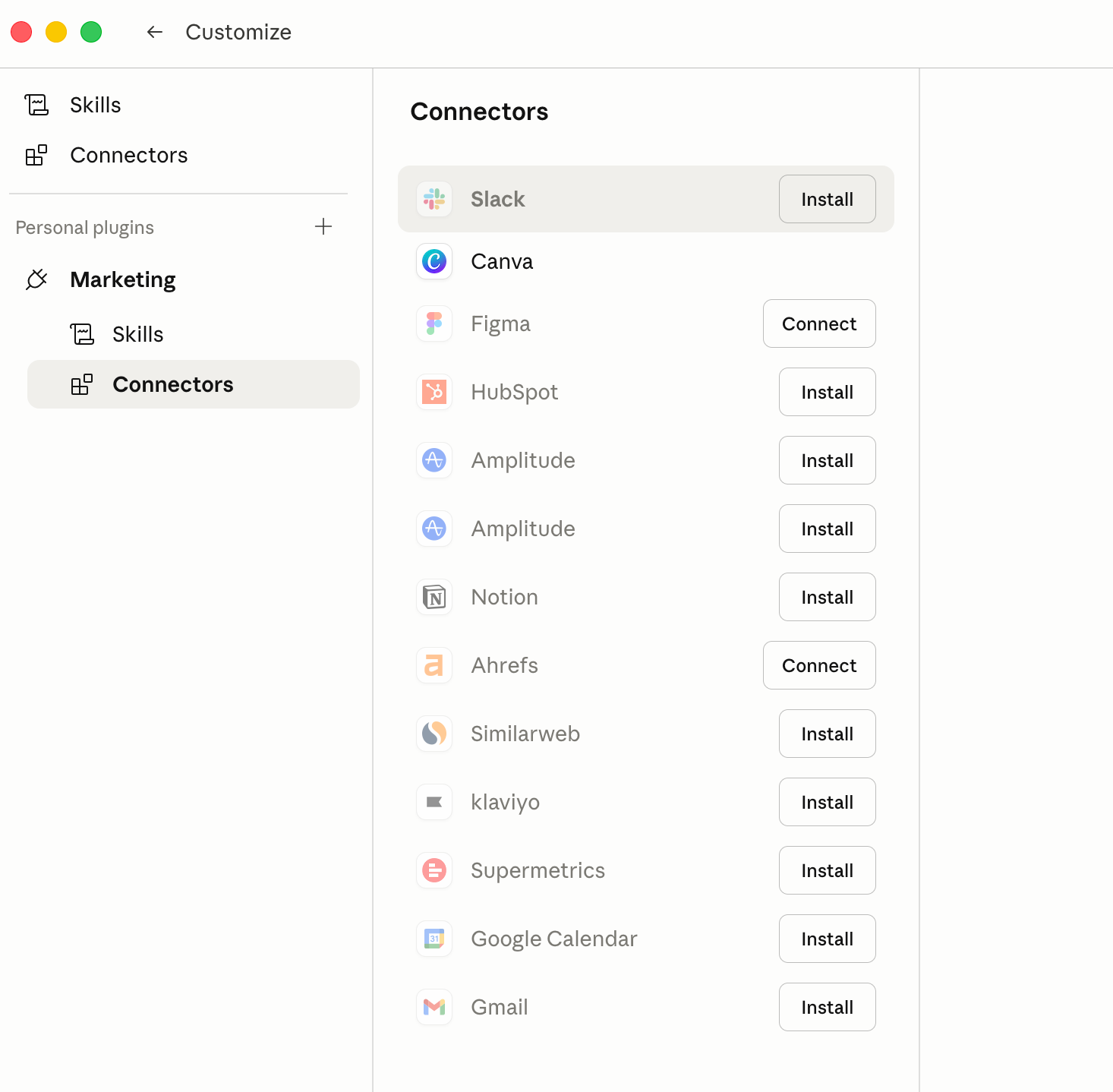
Plugin Connectors
The Marketing Plugin connects with 12 tools including Slack, Canva, Figma, HubSpot, Amplitude, Notion, Ahrefs, Similarweb, Klaviyo, Supermetrics, Google Calendar, and Gmail.
Practical Use-Case Examples
Here are four things you can try immediately after installing.
1. Create 3 month content plan
Prompt:
/campaign-plan

Build a 3-month LinkedIn + Instagram content plan for a B2B SaaS company
in the [Marketing/your niche] space.

Context:
- Target audience: Social media marketers, content creators, and digital marketers
- Business goal: Drive free trial signups and demo requests
- Content mix: 70% educational, 20% social proof, 10% promotional
- Posting schedule: LinkedIn 4x/week, Instagram 3x/week
- Funnel stage coverage: TOFU (awareness), MOFU (consideration), BOFU (conversion)
- Brand voice: Beginner-friednly

Deliverable: Month-by-month content calendar with post topics, content format
(carousel, text, video, poll), funnel stage, and goal per post.
2. Generate SEO Blog Draft
Prompt:
/draft-content

Write a long-form SEO blog post targeting the keyword: "SEO trends 2026"

Context:
- Target audience: SEO specialist
- Search intent: Informational — reader wants to understand what's changing
  in Digital Marketing and what to prepare for
- Competitor angle: Go beyond generic lists; include real-world implications and practitioner takeaways
- Blog structure: H1 → intro with hook → 6–8 trend sections (H2) →
  each with a "What this means for you" subsection → conclusion with CTA
- Word count target: 2,500–3,500 words
- Internal linking placeholders: Add [INTERNAL LINK: topic] where relevant
- CTA goal: Newsletter signup or related blog read

Avoid: Fluff, vague predictions, and content that could apply to any year.
3. Run a Competitor Analysis
Prompt:
/competitive-brief

Analyze HubSpot's content marketing strategy from a B2B SaaS perspective.

Context:
- Why: We are a [digital marketing/your niche] SaaS company planning our content
  strategy for Q3 2026 and want to identify gaps we can exploit
- Scope: LinkedIn presence, blog content, SEO footprint, lead magnets,
  email nurture, and YouTube/video strategy
- Analysis framework:
    1. Content themes and pillar topics they dominate
    2. Posting frequency and format breakdown (LinkedIn, blog, video)
    3. Engagement patterns — what content type gets most traction
    4. SEO moats — keywords and topic clusters they own
    5. Gaps and blind spots we can capitalize on
    6. Tone and positioning vs. competitors

Deliverable: A structured competitive brief with a "What we should steal,
adapt, or avoid" section at the end.
4. Create an Email Funnel
Prompt:
/email-sequence

Build a 5-email nurture campaign for leads who registered for our webinar
but have not yet booked a demo or started a free trial.

Context:
- Lead profile: Marketers
  for a webinar on [topic, e.g., "AI trends in Digital Marketing"]
- Product: B2B SaaS tool for [Marketing/your tool]
- Funnel stage: MOFU → BOFU (warm leads, not cold)
- Goal: Convert webinar registrants into demo bookings within 14 days
- Sequence timing: Day 0, Day 2, Day 5, Day 8, Day 12

Per email, provide:
  - Subject line (+ A/B variant)
  - Preview text
  - Email body (200–350 words)
  - Primary CTA
  - Psychological trigger used (urgency, social proof, curiosity, etc.)

Tone: Peer-to-peer, not salesy. Write as if a senior engineer is
reaching out, not a marketing team.
Conclusion
If you are in a digital marketing field, this is one of the best Claude Cowork plugins I would suggest you use daily in your work.
So, you can be one step ahead of marketers who are not using it.
If you have any doubts regarding this marketing plugin, drop them in the comments.
I will help you out.
