


I did research with Semrush about what people are facing issues with in Beehiiv.
The one issue I identified is that Beehiiv users are searching for a way to export their subscribers.
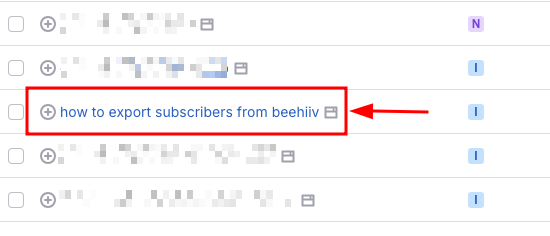
So I thought of writing a step-by-step guide on this. Which will be definitely useful for Beehiiv users.
Step to Export Subscribers from Beehiiv
Follow these simple steps to export your subscribers from Beehiiv easily.
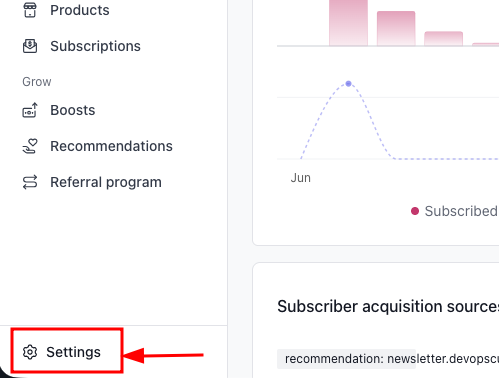
Step 1: Go to Beehiiv settings
Once you log in to Beehiiv, you will see the Settings option on the bottom-left side of the dashboard. Click on it.
Step 2: Click on Export Data
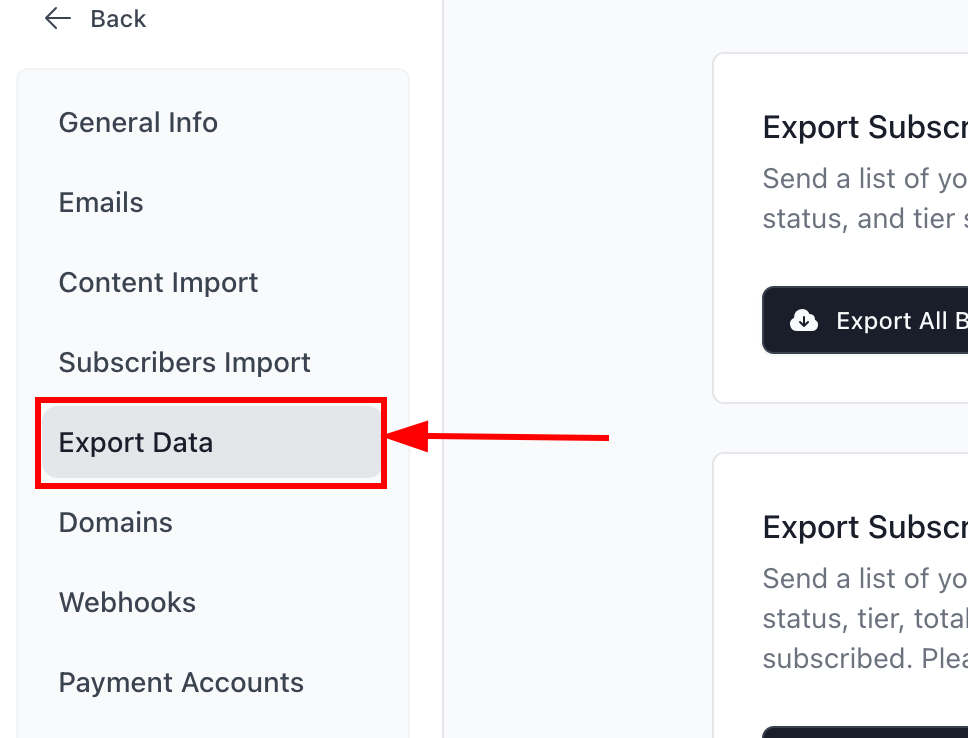
After entering the Settings page, you will land on the General Info section by default.
From the same menu bar, you will find the Export Data option. Click on it.
Step 3: Export Subscribers
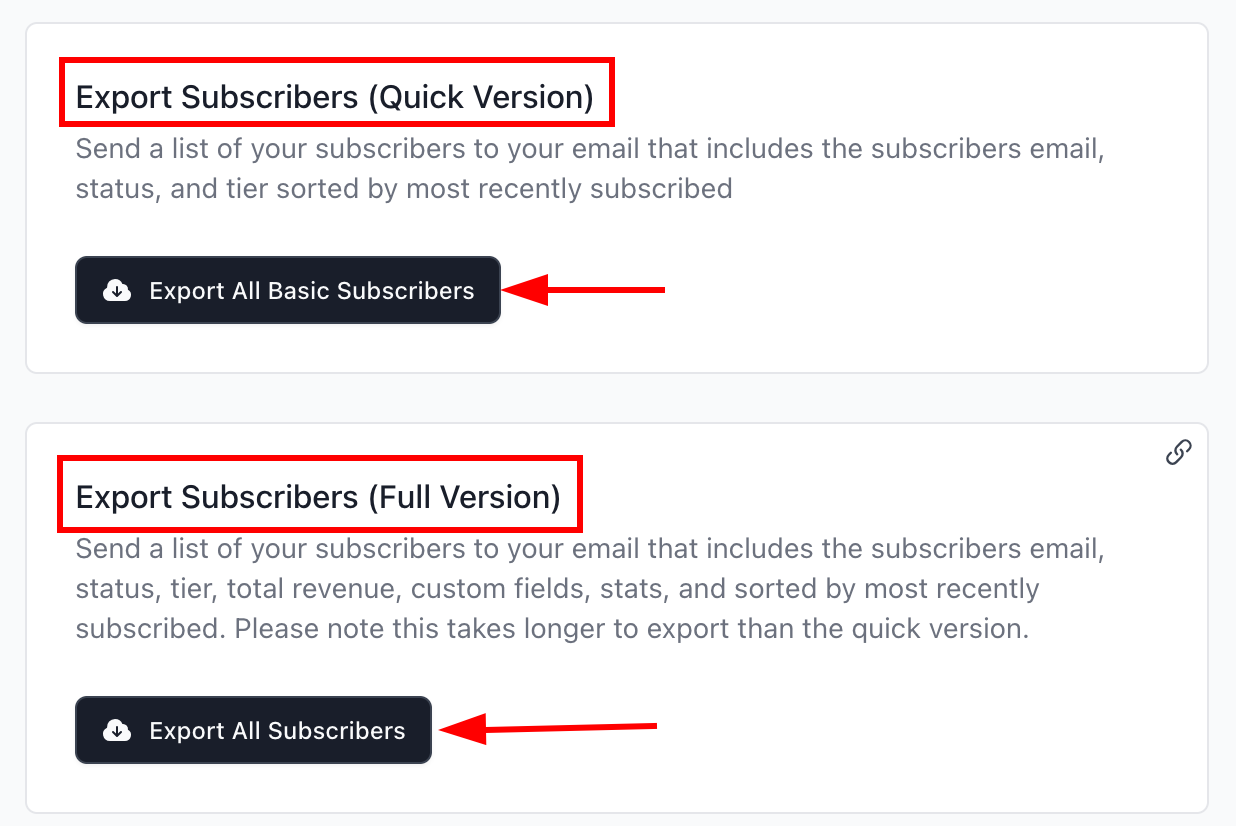
You will see two options. One is Export All Basic Subscribers, and the other is Export All Subscribers.
The Export All Basic Subscribers option exports your subscriber list with basic details
The Export All Subscribers option exports your subscribers along with detailed subscriber data.
Step 4: Download the subscriber list
Within a few seconds, your export file will be ready.
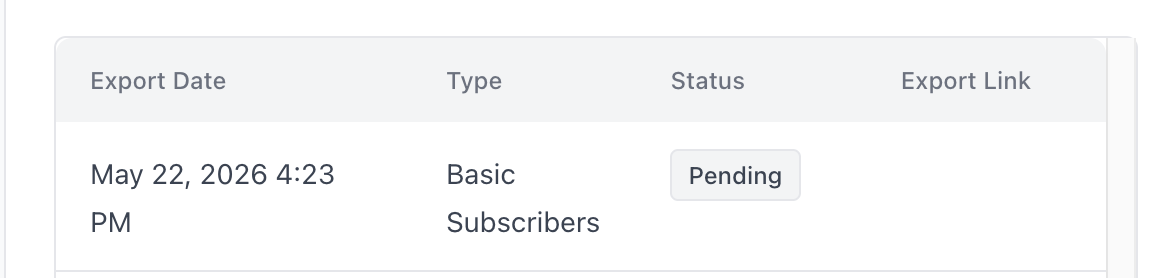
If you scroll down, you can check the export status. Initially, it will show as Pending because Beehiiv is preparing the file.
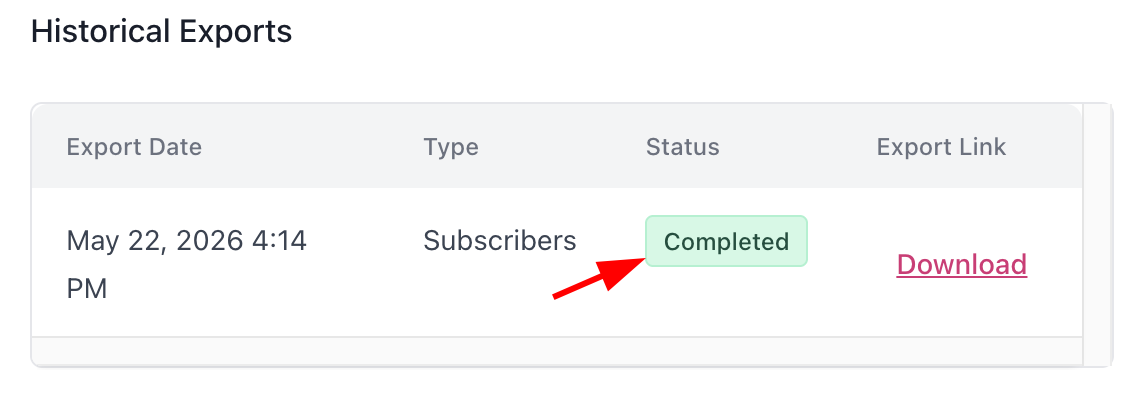
Once the process is completed, the status will change to Completed, as shown in the image below.
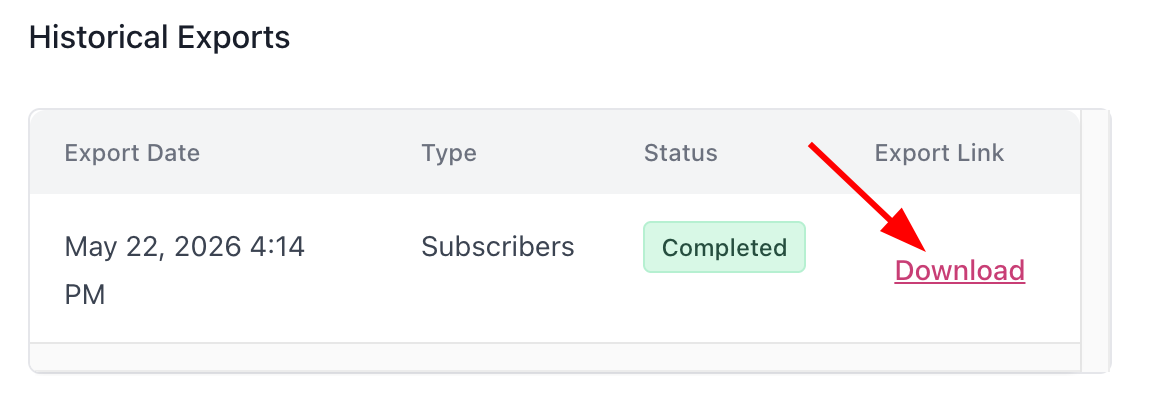
Now you can download the subscriber list by clicking the Download button visible next to the status.
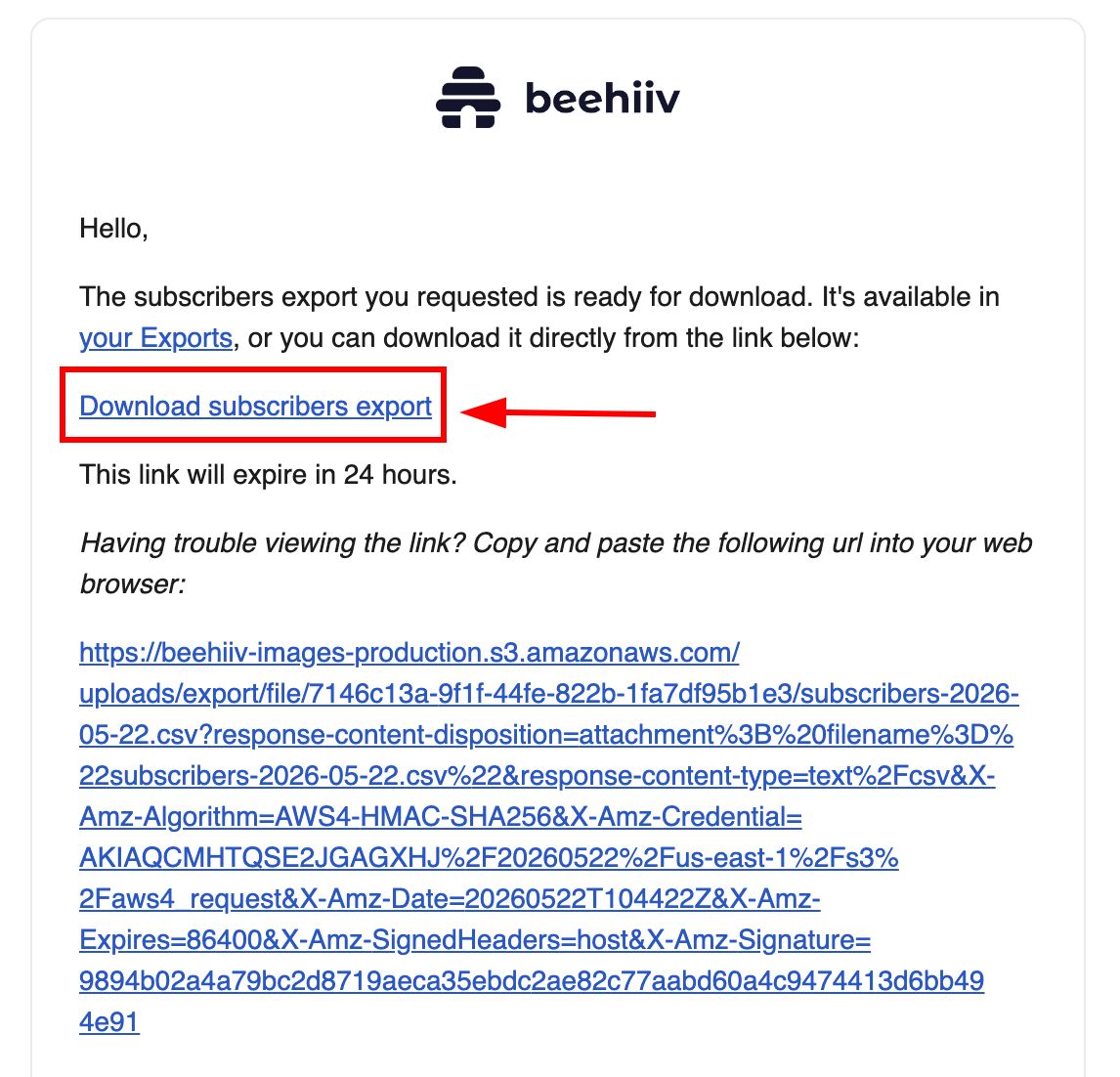
Also, you will receive an email from Beehiiv where you can directly download the subscriber list. The download link will appear as shown in the image below.
Conclusion
I hope you now have a clear understanding of how to export subscribers from Beehiiv.
If you have any doubts or questions about this guide, feel free to drop them in the comments, and I will help you out.
