


Every SEO expert is struggling to optimize their blog for LLMs.
So, I came across a marketing repository and found a Claude AI SEO skill that can help optimize blogs for LLMs like ChatGPT, Gemini, Perplexity, and Claude.
That got me thinking, why not turn this into a practical blog so you can benefit from this Claude skill and make your SEO work much easier?
In this blog, I will guide you step-by-step on how to set up the Claude AI SEO skill.
Steps to Upload and Use AI SEO Skill in Claude
Just follow each step carefully. Otherwise, you may get confused about how to set it up.
Step 1: Go to Marketing Skills Repo
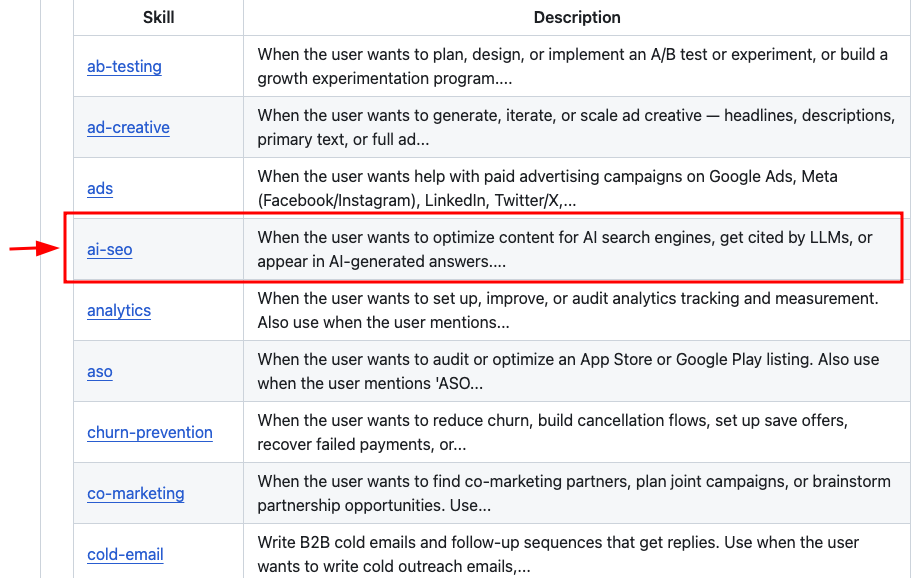
Visit the Marketing Skills repo, and scroll down until you find the AI SEO skill. Click on it.
Step 2: Click the SKILL.md file
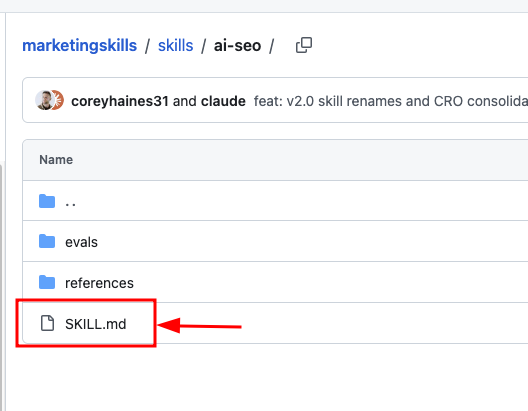
Click the SKILL.md file. This will take you to a page where you can view the full structure of the skill and understand how the AI SEO skill works.
Step 3: Download the Raw File
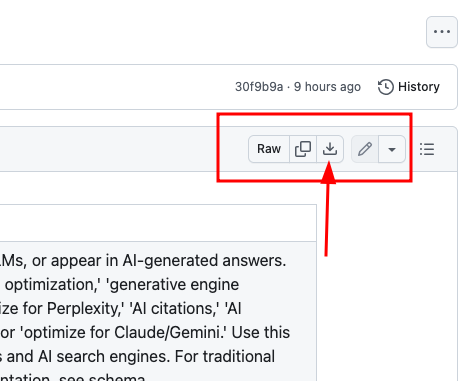
On the SKILL.md page, look for the Raw button in the top-right corner. Click it to download the file.
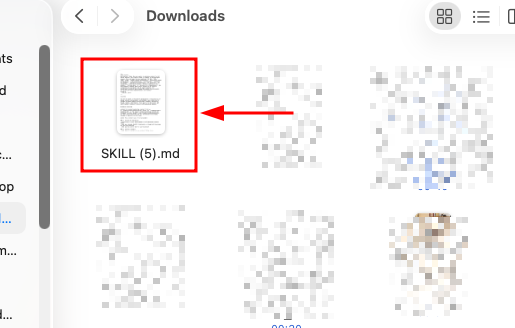
You will now have the .md file saved on your local machine, as shown in the image below.
Step 4: Upload the skill to Claude
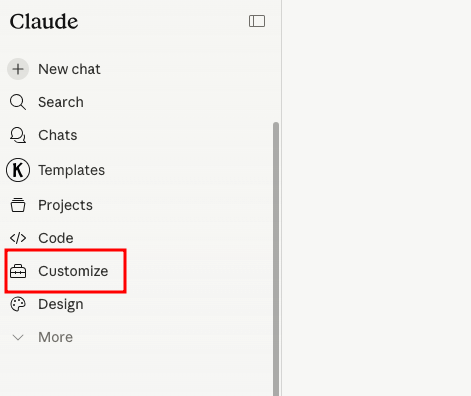
Go to Customize in Claude, then navigate to Skills → Click the plus icon → Create Skill → Upload a Skill
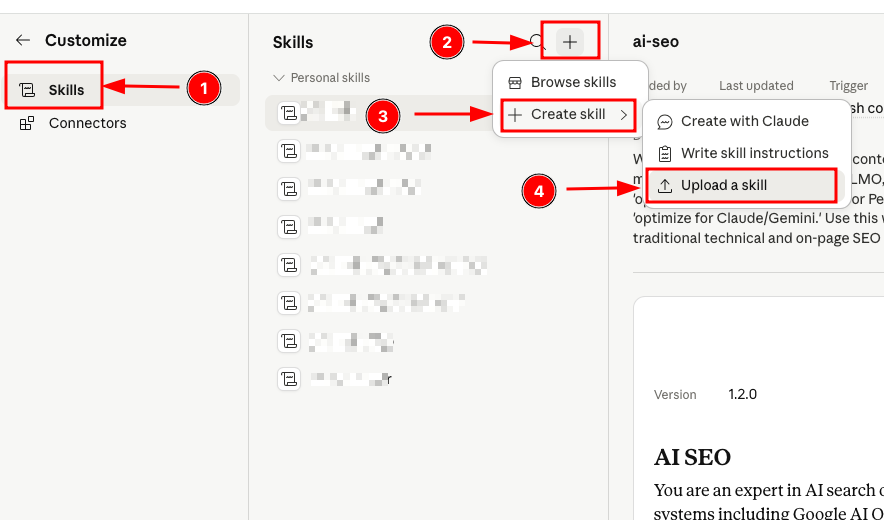
That's it. Your AI SEO skill is uploaded to Claude's memory.
Now, go to Claude, type /ai-seo, and paste your blog content. It will begin optimizing your content for LLMs.
Just like it optimized my blog in the video below.
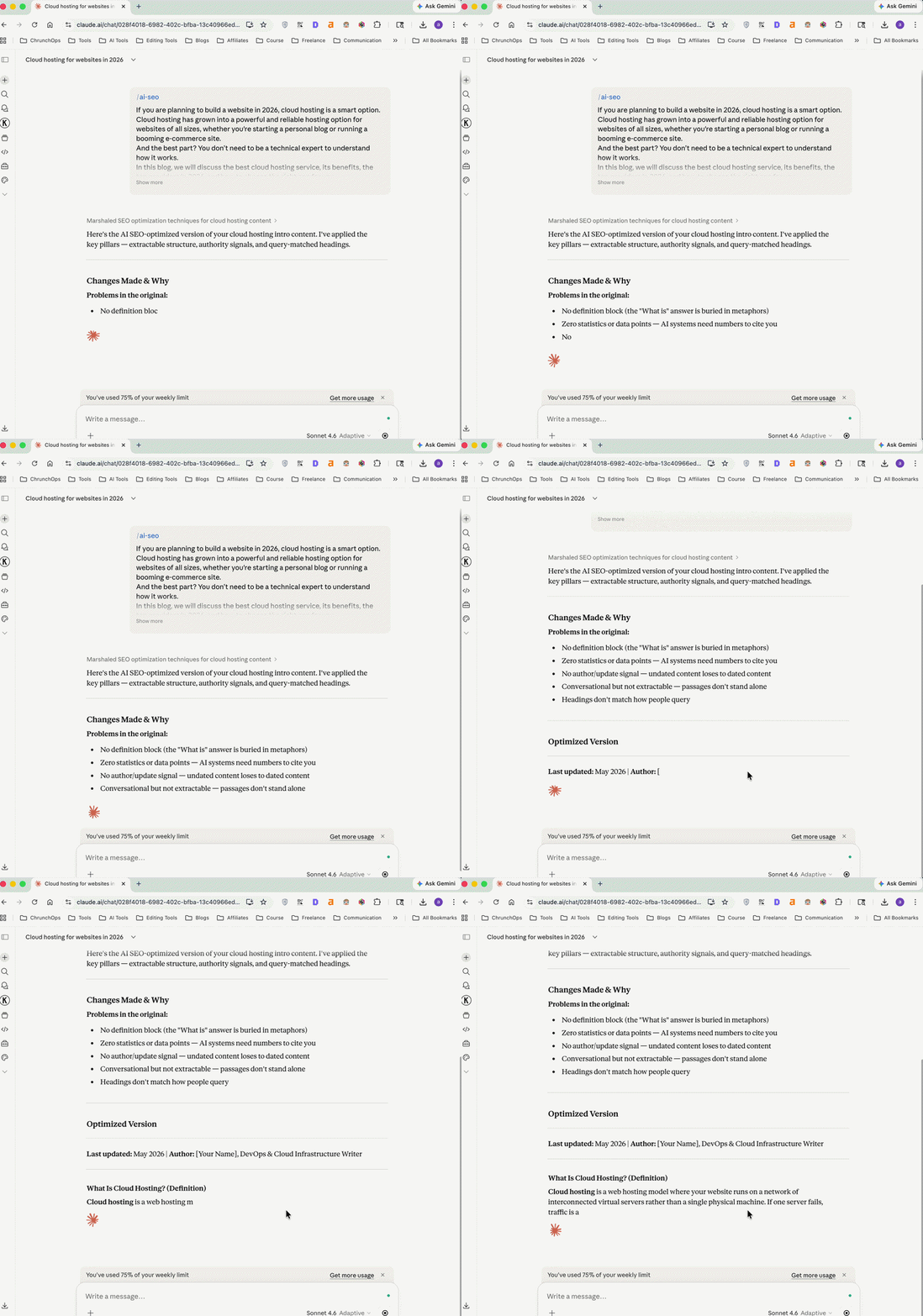
Here is the video version of setting up this skill in Claude👇
Conclusion
This Claude skill can be extremely useful if you want to stay ahead of other SEO professionals in today’s competitive landscape.
If you have any questions or doubts about this guide, drop them in the comments, and I will be happy to help.
